
Area Code
Area Code Articles
Browse all Dynaris area code guides in one place, including location, time zone, and business insights.
Read articleAI backend infrastructure for your business.
One platform across voice, chat, and email. Dynaris qualifies every lead, books meetings, and follows up automatically — so nothing slips through the cracks.

Sarah Johnson
Website lead
Need help setting up after-hours lead routing for my team.
Active conversation
We miss calls after 5pm. Can Dynaris answer, qualify, and book consultations for us?
Yes. We can answer every call, capture the job type, qualify the lead, and book directly into your calendar.
AI follow-up
Replies instantly and books meetings.
Build your site, connect your tools, configure your agents, and go live — all from one platform. Dynaris runs the rest.
24h
Average go-live time
200+
Tool integrations
24/7
Always-on coverage
100%
Self-serve setup
Custom-designed, mobile-first, and SEO-optimized from day one. AI agents are embedded on every page — so your site qualifies visitors and books meetings the moment it launches.
Link Gmail, Slack, HubSpot, Google Calendar, and 200+ tools in minutes. Each integration becomes both an action your agents can take and a trigger they respond to.
Set your reply style, escalation rules, and follow-up cadence. Responses sound like you — not a bot. Adjust anything anytime from your dashboard.
Inbound leads get instant replies. Follow-ups fire on schedule. Meetings book to your calendar. CRM stays updated. Dynaris runs continuously so you never have to.
Infrastructure that supports the outcome
Website Builder
Custom site with AI agents built in from day one
Auto Mode
Zero manual work once enabled
Multi-Channel
Every lead captured, no matter the source
Voice Agents
Answers calls, runs outbound sequences 24/7
Contact Memory
Full context on every lead, always
AI voice agents that answer every call, schedule appointments, and follow up — human-like conversation, around the clock. Set up in minutes, runs 24/7 without you.
Every call answered
24/7, no hold, no voicemail
Schedule on the call
Real-time calendar integration
Human-like speech
ElevenLabs voices, your tone
Outbound too
Sales campaigns with full context

Your AI Front Desk on website, email signature, campaigns, and outbound. Qualifies leads, answers questions, and books meetings instantly. No missed inquiries. No cold follow-ups. Full-service setup included.
Website
Embed on any page
Email signature
Every email you send
Marketing
Campaigns & outreach
Outbound
Proactive follow-up
Your AI Agent
Online 24/7
Type a message...
Inbound leads get instant, personalized replies. Follow-up sequences run on your cadence. Drafts pull from your knowledge base and CRM. Gmail-native, no forwarding. You approve or send -- Dynaris does the work.
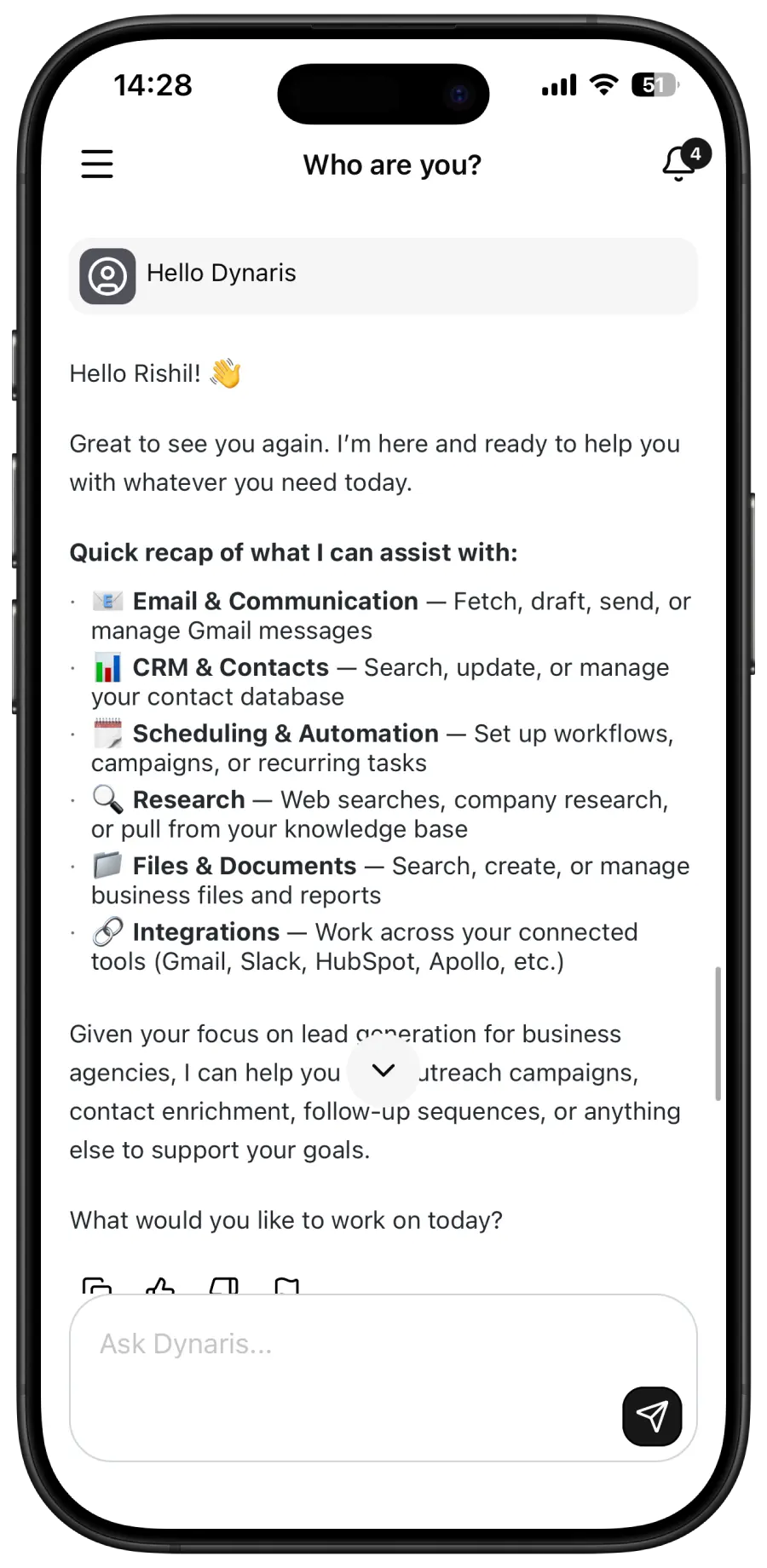
We design and build your website with AI-powered lead capture built in from day one. Fast-loading, mobile-first, SEO-optimized. Your AI agents live on every page — qualifying visitors and booking meetings while you sleep.
Live in days
No long agency timelines
SEO optimized
Built to rank and get found
Mobile-first
Looks great on every device
AI-powered
Smart content & lead capture
Close more deals.
Work less.
Your AI front desk qualifies every lead,
books meetings, and follows up 24/7.
Hi! Ready to book a quick demo? 👋
Yes, I'm interested
Home services, real estate, professional services, events and hospitality. See how businesses like yours use Dynaris.
Sign up now. Live within 24 hours.
Home Services
Plumber, HVAC, Landscaper
0%
missed calls
Before Dynaris
After Dynaris
Real Estate
Realtor, Property Manager
24/7
lead qualification
Before Dynaris
After Dynaris
Professional Services
Lawyer, Consultant, Coach
0%
missed inquiries
Before Dynaris
After Dynaris
Events and Hospitality
Venue, Caterer, Event Planner
2 min
avg response time
Before Dynaris
After Dynaris
From the Blog
Learn how teams use AI voice, chat, and automation to answer faster, follow up better, and book more revenue.
Browse all Dynaris area code guides in one place, including location, time zone, and business insights.
Read articleAn AI receptionist answers calls, responds to chats, books appointments, and follows up on leads 24/7 — for a fraction of the cost of a human. Here's everything small businesses need to know.
Read articleLearn what AI workflow automation in business means, how AI agents and no-code workflows improve productivity, and what to expect from predictive automation by 2026.
Read articleWhat is the 337 area code? Discover its location in Louisiana, cities, time zone, scams, and how businesses use 337 numbers to grow locally.
Read articleLearn where the 403 area code is located, the cities it covers, the time zone, its history & how to get a Calgary number for your business in Alberta.
Read articleExplore the 514 area code; location, cities, time zone, and population. Get a 514 Canada area code number with AI services to boost trust for your business today.
Read articleYour AI Front Desk answers every call, replies to every email, and books meetings 24/7.
Get started in 24 hours.
No jargon. No fluff. Just clear answers to what most people ask before they start using Dynaris.
Dynaris answers every inquiry, qualifies every lead, books more meetings, and scales without headcount. One AI Front Desk across email, chat, and voice answers every inquiry, qualifies leads, and follows up automatically 24/7. Set it up once; Dynaris delivers results continuously.
Auto Mode is a single toggle that switches Dynaris from manual to fully autonomous operation. When enabled, every incoming event from your connected tools -- a new email, a Slack mention, a Jira ticket, a calendar conflict -- is automatically processed by the appropriate agent without waiting for your approval. You can disable it anytime to return to manual review. Auto Mode is a per-user preference, so each team member controls their own autonomy level.
Dynaris has a built-in scheduler that supports three modes: cron expressions for recurring patterns (e.g., every weekday at 9am), rate expressions for intervals (e.g., every 30 minutes), and one-time schedules for specific dates. Each schedule runs in its own timezone, tracks execution count and failures, and can be enabled or disabled without deletion. You can create schedules from the UI or let the AI agent create them for you during a conversation.
Dynaris processes real-time events from GitHub (commits, PRs, labels, stars, followers), Gmail (new messages, sent emails), Google Calendar (event sync, new events, starting soon, attendee responses), Slack (messages, DMs, threads, bot events, group messages), Jira (new and updated issues), and voice calls (call complete events). Each connector can have individual triggers enabled or disabled, and events stream to the UI in real time via SSE.
When an event arrives or a schedule fires, Dynaris routes it to the right agent with full context -- the event data, your connected tools, and your workflow configuration. The agent breaks the task into steps, invokes the necessary tools, and executes end-to-end. For example, a new GitHub PR could trigger code review, a Slack notification to your team, and a Jira status update -- all in one automated flow.
Not at all. You interact with Dynaris through natural language chat. Say "Send a summary of today's Linear issues to the team on Slack" and it handles everything once your accounts are connected. You can also set up schedules from the UI, configure event triggers per connector, and toggle Auto Mode with a single click. If you are technical, you can build custom agents and deploy dedicated MCP servers.
Dynaris connects to 200+ services including Gmail · Outlook · Slack · Discord · Microsoft Teams · GitHub · Linear · Jira · Asana · Monday.com · Notion · Airtable · Google Drive · Google Docs · Google Sheets · Google Calendar · HubSpot · Salesforce · Stripe · Shopify · Twitter/X and many more. Each tool becomes both an integration (for outbound actions) and an event source (for inbound triggers). The connector catalog lets you search, connect via OAuth, and configure per-trigger settings.
Yes. Dynaris works for solo operators, small businesses, and enterprises alike. Each user's data stays completely separate and private. Everything is logged for compliance and audits. You get granular control over who can use which tools and agents. It scales to handle multiple users running autonomous workflows simultaneously, and you can deploy it on your own servers for complete data control.
Security is foundational. Dynaris is CASA Tier 3 Approved, meeting rigorous security and compliance standards. Connected account credentials are encrypted and never shared with AI agents. Each user's data is completely isolated. Sensitive information is automatically redacted before processing. All actions are logged with full audit trails. For sensitive operations, Dynaris requests explicit approval. Enterprise plans offer dedicated infrastructure and complete data control on your own servers.
Each AI agent is a specialist with dedicated tools for its domain. The Gmail agent reads, writes, searches, and organizes emails. The GitHub agent manages PRs, issues, and repositories. The Slack agent handles messages across channels, DMs, and threads. These agents collaborate -- the Gmail agent might ask the Web agent to research a topic before drafting a response. When an event triggers, the coordinator automatically routes it to the right specialist.
Yes. Dynaris includes a native contact management system with CSV import/export, inline editing, and follow-up scheduling. For files, it supports rich viewing (PDFs, DOCX, spreadsheets, images, audio, video), in-app editors, and file deployment. Upload documents (PDFs, Word files, spreadsheets, text files) and Dynaris vectorizes them into searchable knowledge. Ask questions and it finds relevant information across all your documents. Summarize reports, extract structured data, or answer questions based on your uploaded content -- all securely stored and accessible only to you.
Sign up, connect your tools, and configure your agents — everything is guided and takes minutes. Once live, enable Auto Mode or start chatting. Try "Check my Gmail and summarize urgent messages" or set up a schedule to "Send a daily standup summary to Slack at 9am." Everything streams back in real time. Email team@dynaris.ai if you need help.